
This month’s update introduces improvements to the Form Editor, FAQ management, currency conversion, and upcoming tour management.
We’ve also added several usability improvements, compatibility updates, and bug fixes.
Here’s what’s new:
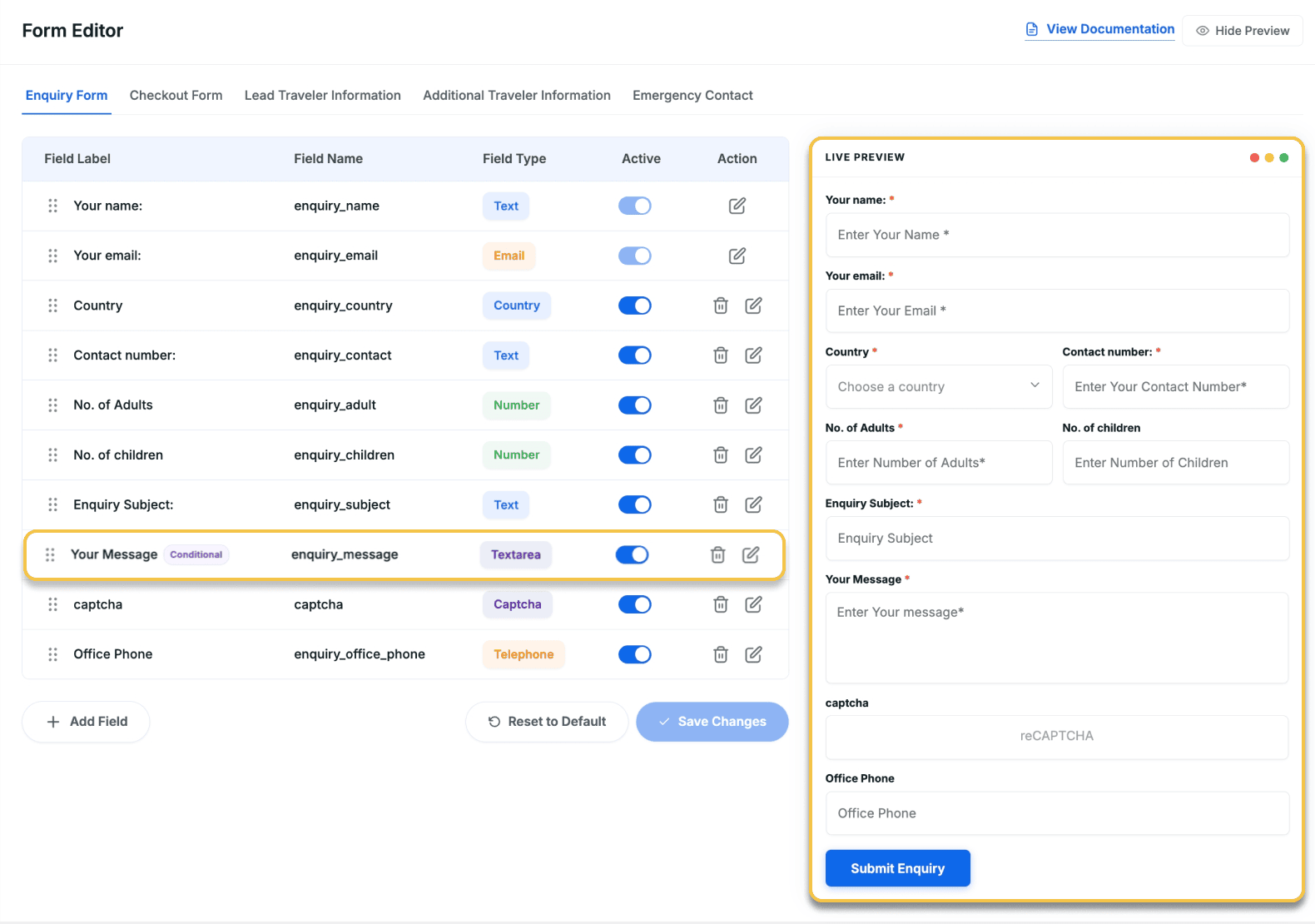
Improved Form Editor With Conditional Logic
When one form has to cover all your trips, it ends up asking questions that don’t always apply – and that costs you completions.
The Form Editor add-on now supports conditional logic, letting you show or hide fields based on the selected trip or a traveler’s response.
The update also adds multi-file attachment fields and a live form preview as you build.
What’s new:
- Conditional field logic – Set any field to show or hide based on what a traveler has already entered, or limit it to specific trips only. Fewer irrelevant questions mean more completions.
- Live preview while editing – See exactly what travelers see as you make changes. No switching tabs just to see what it looks like.
- Attachment fields with multiple file uploads – Add attachment fields and let travelers upload more than one file at once – useful for ID copies, waivers, or medical documents.
Real example:
You offer tours from multiple departure cities. For London departures, travelers bringing personal equipment need to upload additional documents.
Now, you can create an attachment field that only appears:
- on London departure trips
- When a traveler selects “Yes” for “Are you bringing personal equipment?”
Other travelers never see the field, keeping the form shorter and more relevant.
Protect Your Booking Forms From Spam Submissions
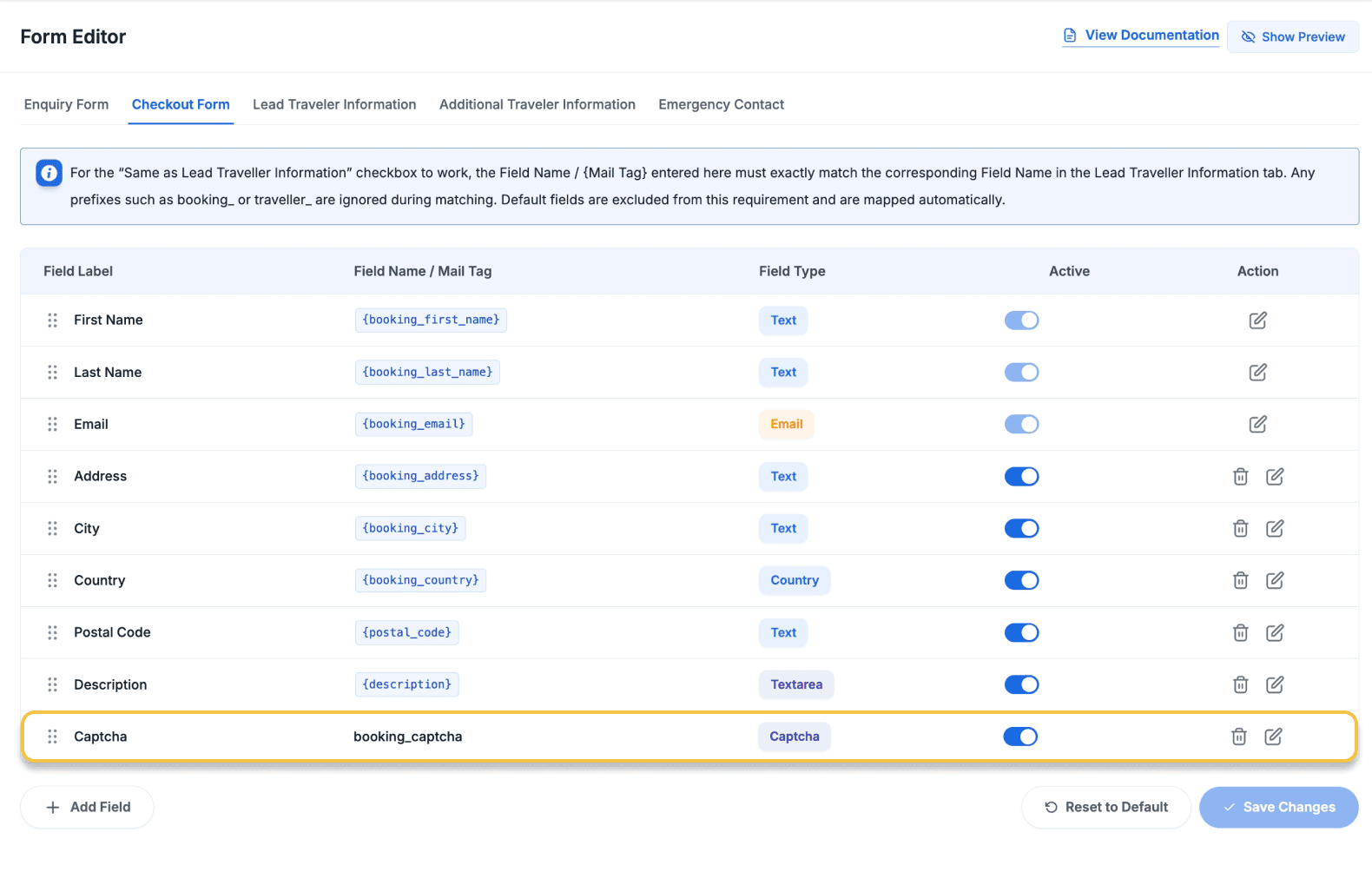
If fake inquiries have been showing up in your booking inbox, reCAPTCHA can block them before they reach you. It’s now available on your checkout, lead traveler, and additional traveler forms.
You can choose between two modes – a simple checkbox that travelers tick, or an invisible check that runs quietly in the background without interrupting them.
Either way, automated submissions are blocked, and real travelers get through without any friction.
Create and Manage Shared FAQs Across All Your Trips
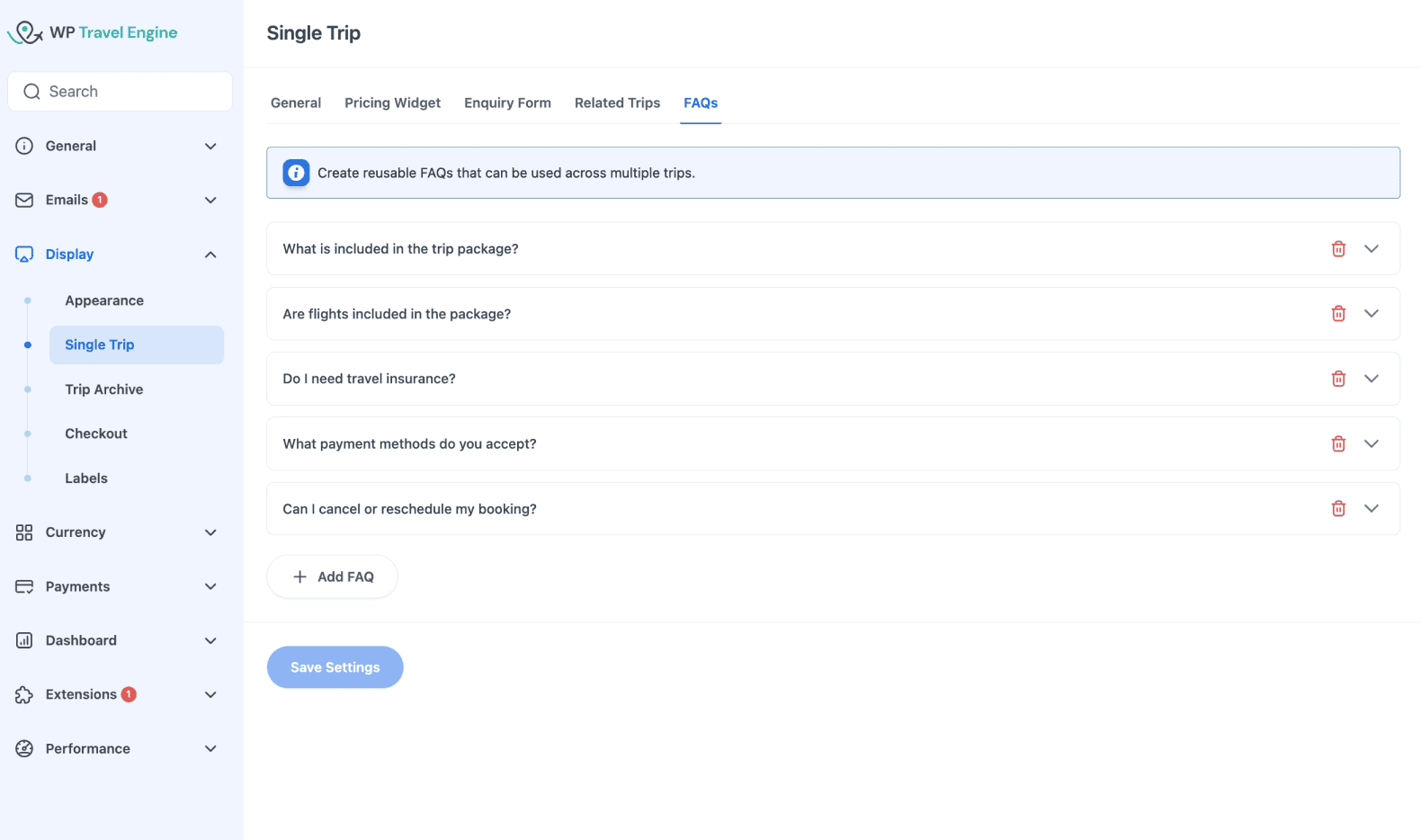
You can now create shared FAQs from global settings and assign them to multiple trips at once.
When you update a shared FAQ, the changes automatically apply everywhere it’s used. FAQs can also be grouped into categories, helping travelers find answers faster.
Trip-specific FAQs still work as before.
Real example:
You’ve just updated your deposit policy. Rather than opening each trip and changing it one by one, you update the shared/global FAQ once.
Then, every connected trip automatically reflects the change.
Currency Geo-Detection Now Works on Cached Sites
Relevant if: Operators with international travelers, especially those using caching plugins like NitroPack, WP Rocket, or LiteSpeed Cache.
What’s new:
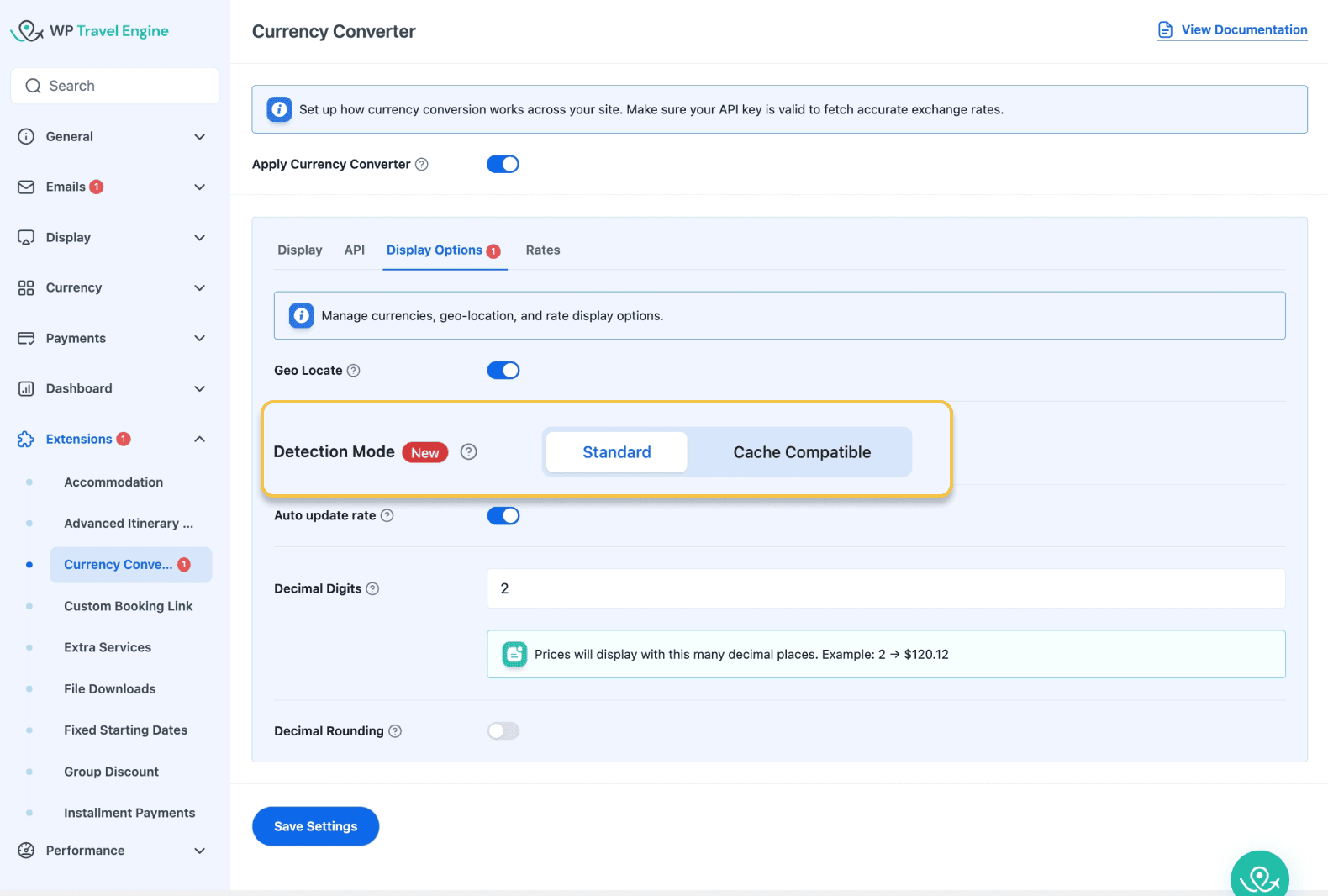
- A cache-compatible mode has been added to the Currency Converter add-on’s geo-detection setting.
- Resolves currency display issues caused by speed plugins like NitroPack, WP Rocket, and LiteSpeed Cache.
Real example:
Previously, a traveler from Germany visiting your site might still see prices in US dollars because of page caching.
With cache-compatible geo-detection enabled, prices now display in euros correctly even on cached pages.
Track Availability, Status, and Details Across Every Upcoming Departure
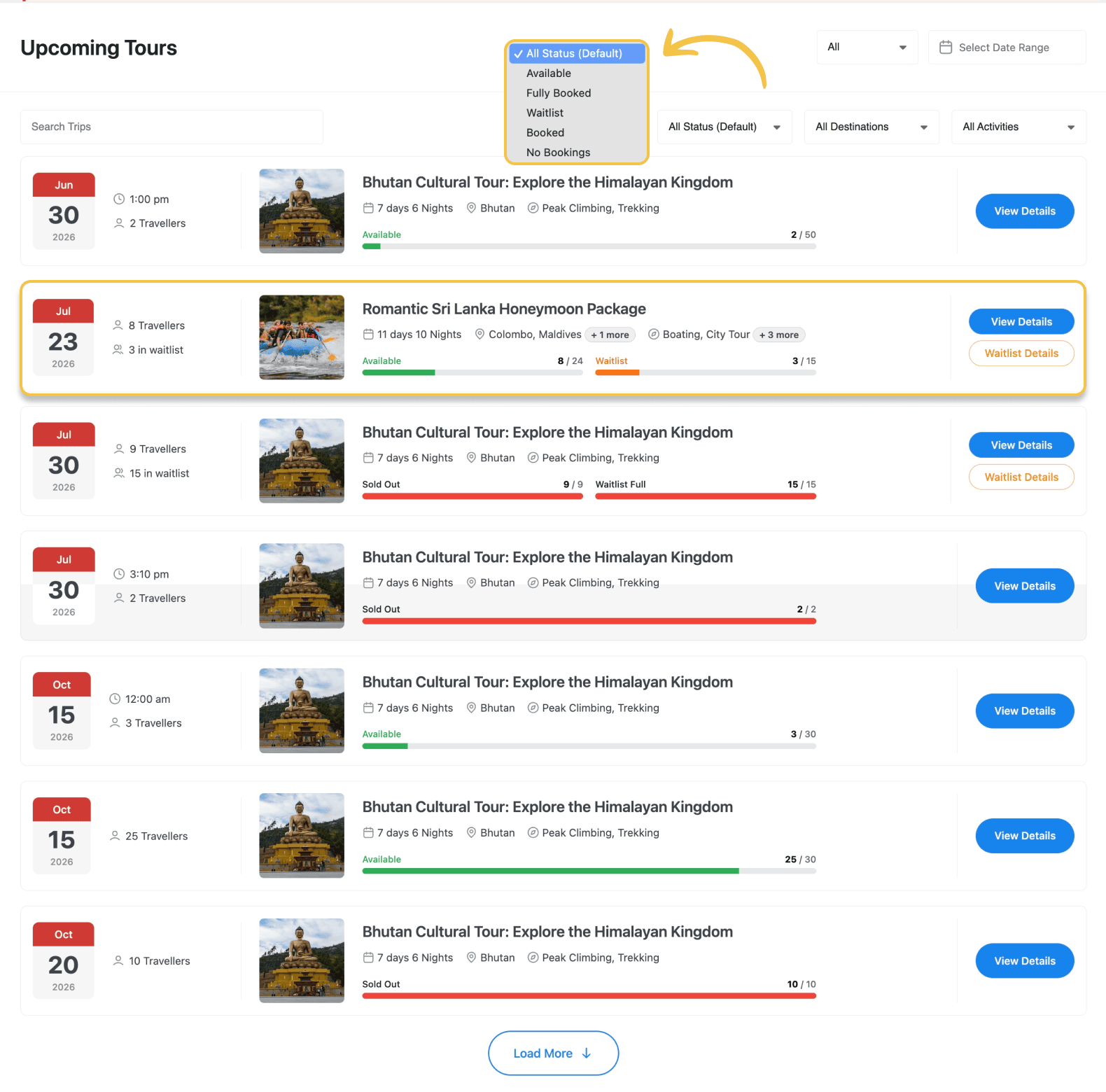
The Upcoming Tours section has been expanded to give you a fuller picture of every departure. Availability count, status, traveler counts, and trip details are now all visible directly from the list view.
What’s new:
- Visual availability bars – See how full each departure is without clicking in.
- Live waitlist counts – See how many travellers are on the waitlist and how many spots remain.
- Trip details – Duration, destination, and activities are visible without opening the trip.
- Departure status – Each departure shows its current status: Available, Sold Out, or Waitlist.
- Search and filter – Find departures by trip name, status, destination, or activities.
Real examples:
It’s Monday morning, and you’re planning your week. You open Upcoming Tours and immediately see that two departures are nearly full, one is sold out, and another has a waitlist building.
A customer calls asking about Nepal treks with availability in October. You search “Nepal”, filter by “Available”, and have the answer ready in seconds.
Other Improvements
Indicator chips on pricing and date selections: You can now quickly check how each pricing category and departure date is set up through small indicator chips – without opening each one.
Tour listing images at original size: A new global setting lets you display tour images at their full size on listing pages, rather than cropping them to a fixed shape.
Booking calendar matches your date format: The date picker now shows dates in the same format as the rest of your site – DD/MM/YYYY, MM/DD/YYYY, or whichever you’ve set in your WordPress general settings.
Travel insurance opt-in default: Set whether travel insurance is selected as ‘Yes’ or ‘No’ by default at checkout, once for all trips.
Installment payments are blocked if Stripe isn’t fully configured: If the Stripe setup isn’t complete, the installment option shows a clear warning and won’t let travelers proceed, preventing silent failures at checkout.
WordPress 7.0 compatibility: Visual styling updated for full compatibility with WordPress 7.0.
Bug Fixes
No setup is needed for any of these – they’re fixed automatically.
- The amount shown on your booking confirmation page now correctly matches what was actually paid.
- Booking confirmation pages no longer show a “not found” error on some server setups.
- Custom fields added through the Form Editor now appear correctly in billing details.
- Two email triggers – “Remaining Partial Payment Done” and “Due Payment Pending” – were disappearing after updates. That’s fixed.
- Accommodation and pickup fees now appear correctly in booking confirmation emails.
- Deposit amounts shown in installment booking details are now calculated correctly.
- A security issue was patched. No action needed – it was applied automatically with this update.
Conclusion
This month’s updates are focused on reducing repetitive work and giving you a clearer picture of what’s happening across your trips.
Update WP Travel Engine to the latest version to get started. If you have any questions along the way, our support team is here to help.


