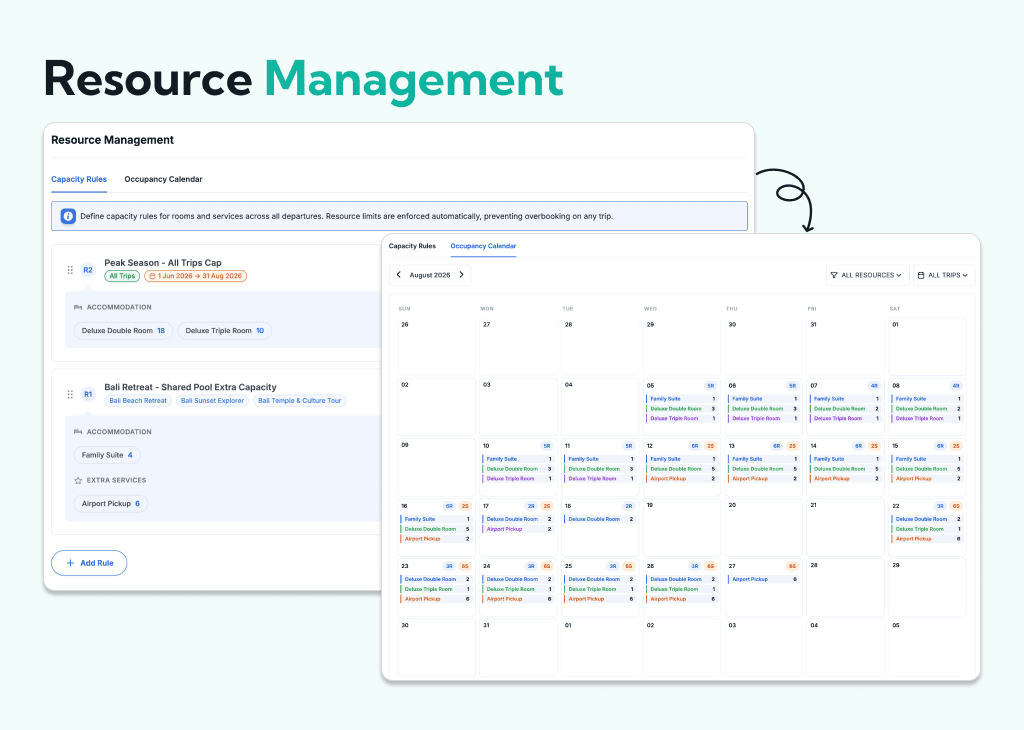
The Resource Management add-on lets you set capacity limits for accommodations and extra services. When a room or service reaches its limit, it automatically becomes unavailable for booking.
Whether you’re managing hotel rooms, transportation, equipment, or optional services, the Resource Management add-on keeps your inventory accurate from the first booking to the last.
Works with the Accommodation add-on for rooms and the Extra Services add-on for services. You’ll need one of these add-ons installed to use Resource Management.
How can you benefit from it:
- Stop discovering you’ve sold the same room twice.
- Automatically stop bookings when a room or service is full.
- Adjust resource availability to match seasonal demand.
- Manage shared inventory across multiple trips with confidence.
- See what’s booked, available, and full in one place.
- Track availability easily and reduce booking mistakes.
Never Sell the Same Room or Service Twice
Overbooking a room or service can lead to last-minute changes, unhappy travelers, and unnecessary costs.
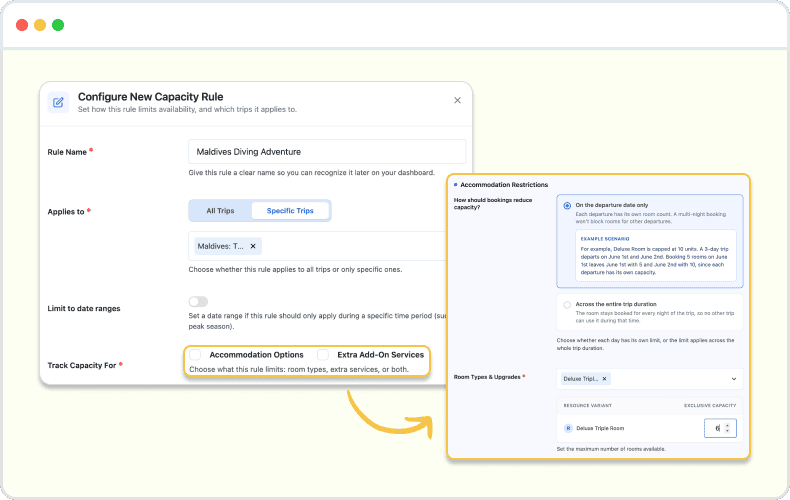
Set a maximum capacity for any room type or service. As bookings come in, the available capacity updates automatically until the limit is reached.
Adjust Capacity for Different Seasons
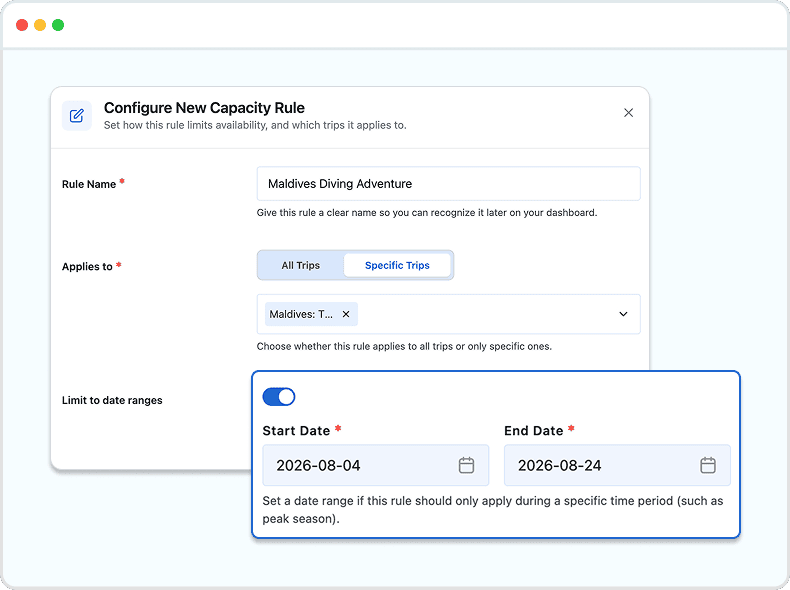
Peak and off-season rarely have the same availability.
Create date-based capacity rules for peak and off-season periods. Each rule applies only within its selected date range, giving you flexibility without updating every trip.
Share Resources Across Multiple Trips
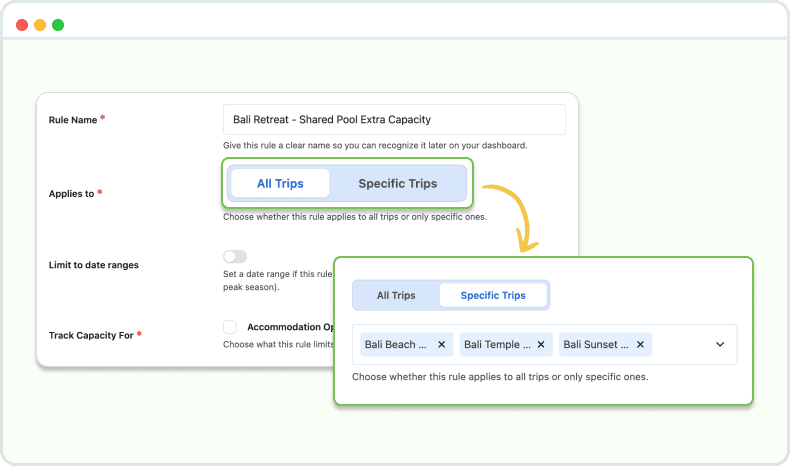
Avoid managing the same hotel or service separately for every trip.
If multiple trips use the same hotel, vehicle, or service, Resource Management tracks availability across all of them. Every booking updates the shared capacity automatically.
See Your Availability at a Glance
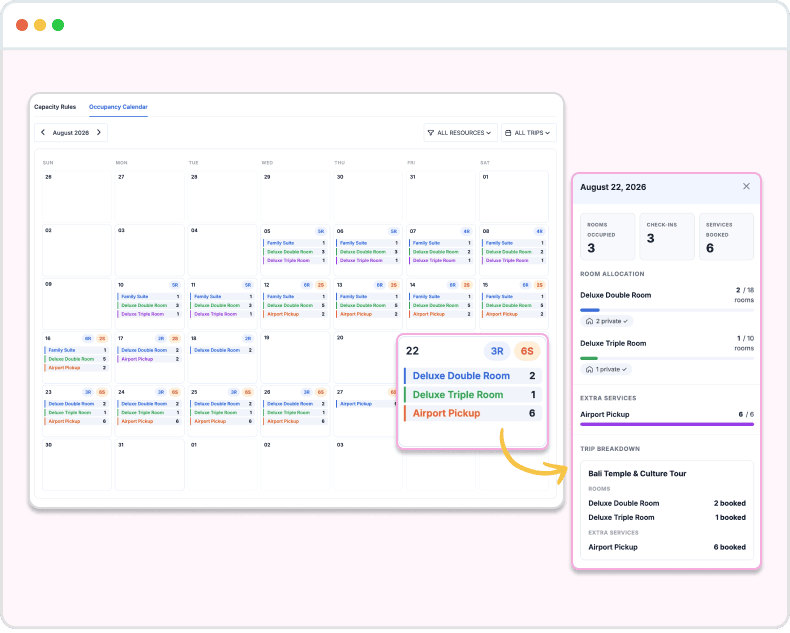
Stay on top of your inventory without opening individual bookings.
The Occupancy Calendar gives you a monthly overview of every accommodation and extra service. Check what’s available, what’s filling up, and what’s already fully booked.